Adapting LLaMA for NER Tasks
24 September 2025 · 7 min read
Customize your models using PEFT. Fine-tuning LLaMA 3.2 1B for token classification with LoRA adapters and 4-bit quantization, on a single GPU.
- Large Language Models
- LLM Finetuning
- NLP
- AI
- Llama 3
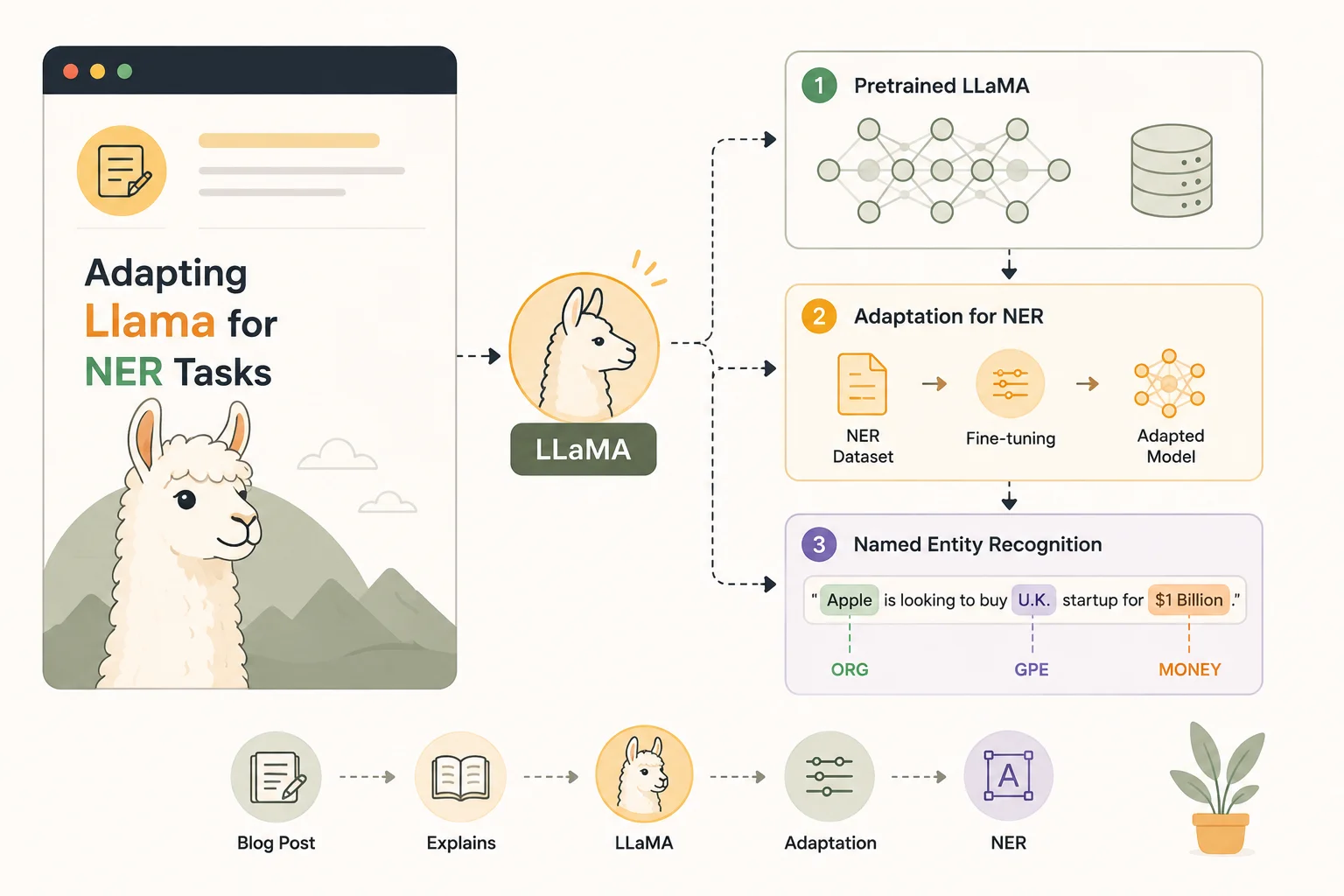
Named Entity Recognition (NER) is the task of finding and labeling entities like dates, names, places and organizations in text. Most people use encoder models such as BERT for this, but I wanted to try something different: training a LLaMA model for token classification. To make training efficient, I used LoRA adapters and 4-bit quantization.
I worked with a CoNLL-style dataset of about 90k samples, with just three labels:
O, B-T, and I-T. T stands for time — I wanted the model to recognize
temporal entities.
In this post I'll go through how I prepared the dataset, set up the LLaMA model for a PEFT config, prepared it for NER, handled the errors that came up, and pushed the final model to Hugging Face for inference.
Preparing the dataset
The dataset was in .conll format, where each line has a word and its
corresponding tag, and sentences are separated by blank lines. To train the
model, I first wrote a data_loader.py that reads through the CoNLL file and
collects everything into words, tags, sentences and labels. Here's a small peek
at the data:
AFP_ENG_19970409 O
. O
0547 O
NEW O
YORK O
, O
April B-T
9 I-T
, I-T
1997 I-T
( O
AFP O
) O
Tokens and their tags are separated by whitespace; sentences are separated by a newline. Below is the code I wrote to pull this into Python and build the trainable dataset.
from datasets import Dataset

def load_data(filepath):
    sentences = []
    labels = []
    words = []
    tags = []

    with open(filepath, "r") as dataset:
        for line in dataset:
            if line != "\n":
                sample = line.strip().split()
                words.append(sample[0])
                tags.append(sample[1])
            else:
                sentences.append(words)
                labels.append(tags)
                words, tags = [], []

    data = Dataset.from_dict({"inputs": sentences, "tags": labels})
    return data
After building the dataset dictionary, the next step was converting the string
labels into numbers so the model could work with them. I used LabelEncoder from
scikit-learn to map the tags:
B-T --> 0
I-T --> 1
O   --> 2
Now the dataset looked like this:
{
  "tokens": [["NEW", "YORK", "," , "April", "9"], ...],
  "labels": [[0, 0, 0, 1, 2], ...]
}
Since LLaMA uses subword tokenization, I also had to align the labels with the
tokenized outputs. That meant repeating a label for every subword and marking
padding with -100 so it wouldn't affect training.
With this step done, the dataset was ready for training.
Model setup
For the model I started with LlamaForTokenClassification from the Hugging Face
transformers library, using the base checkpoint meta-llama/llama-3.2-1b. This
gave me a LLaMA backbone with a token classification head on top, which is what I
needed for NER.
Since the model has a billion parameters, training all of it would be too slow and would not fit in my small GPU's memory. So I used LoRA (Low-Rank Adaptation) to fine-tune only a small set of parameters, and added bitsandbytes 4-bit quantization. With bitsandbytes the weights are stored in 4-bit instead of the usual 16 or 32, which cuts memory usage enough to make training possible on a single GPU. You can also do 8-bit or mixed-precision 16-bit.
bnb_config = BitsAndBytesConfig(
    load_in_4bit=True,
    bnb_4bit_use_double_quant=True,
    bnb_4bit_quant_type="nf4",
    bnb_4bit_compute_dtype=torch.bfloat16 if torch.cuda.is_available() else torch.float16,
)

model = AutoModelForTokenClassification.from_pretrained(
    model_id,
    num_labels=num_labels,
    torch_dtype=torch.bfloat16 if torch.cuda.is_available() else torch.float16,
    quantization_config=bnb_config,
    device_map="auto",
    token=hf_token
)
For the tokenizer I load LlamaTokenizer directly. Since LLaMA does not define a
pad token by default, I add my own [PAD] token and set it as the pad token ID.
Padding is set to the right side, which is standard for training.
tokenizer = LlamaTokenizer.from_pretrained(model_id, token=hf_token)

if tokenizer.pad_token is None:  # true in the case of llama models
    tokenizer.add_special_tokens({'pad_token': '[PAD]'})
    tokenizer.pad_token = '[PAD]'

tokenizer.padding_side = "right"
tokenizer.pad_token_id = tokenizer.convert_tokens_to_ids(tokenizer.pad_token)
This keeps the tokenizer and model consistent: the pad token exists in the vocabulary, sequences are padded correctly, and the embeddings match the vocab size.
It is important that the tokenizer and the model's embedding matrix always match.
When I added a new [PAD] token the tokenizer's vocabulary grew by one. If you
don't update the model embeddings to match, you get the common error:
RuntimeError: size mismatch for
model.embed_tokens.weight: [128257, 2048] vs [128256, 2048]
The fix:
model.resize_token_embeddings(len(tokenizer))
PEFT (parameter-efficient fine-tuning)
I mentioned this above, but it's worth elaborating. LoRA trains a small number of additional parameters on top of the frozen model weights, which makes training faster and lighter. You pass your base model to the PEFT config:
from peft import prepare_model_for_kbit_training, LoraConfig, get_peft_model, TaskType

# prepare model for k-bit training (freeze some layers, enable gradient checkpointing)
model = prepare_model_for_kbit_training(model)

# LoRA configuration
lora_cfg = LoraConfig(
    r=16,
    lora_alpha=32,
    lora_dropout=0.05,
    bias="none",
    task_type=TaskType.TOKEN_CLS,
    target_modules=[
        "q_proj", "k_proj", "v_proj", "o_proj",
        "gate_proj", "up_proj", "down_proj",
    ],
)

# wrap model with LoRA
model = get_peft_model(model, lora_cfg)
The target_modules list tells LoRA which parts of the model to adapt. In LLaMA
the main places where information flows are the attention projections (q_proj,
k_proj, v_proj, o_proj) and the feed-forward network layers (gate_proj,
up_proj, down_proj).
By applying LoRA only to these modules, I could capture most of the model's expressive power while training only a fraction of the parameters.
Training
With the model and tokenizer ready, I set up the training loop using Hugging
Face's Trainer. I loaded my training and test datasets, made sure the tokenizer
and model embeddings were aligned, and defined the training arguments.
Some of the important settings:
- Batch size: 32, with gradient accumulation of 2
- Epochs: 5
- Learning rate: 3e-5 with a cosine scheduler
- Warmup ratio: 0.05
- Evaluation: every 256 steps, with early stopping (patience 3)
- Metrics: F1 as the main metric for tracking the best model
- Logging: Weights & Biases
Here's the core of the script:
training_args = TrainingArguments(
    output_dir="./results",
    logging_dir="./logs",
    logging_steps=10,
    save_steps=512,
    save_total_limit=3,
    num_train_epochs=5,
    per_device_train_batch_size=32,
    per_device_eval_batch_size=32,
    gradient_accumulation_steps=2,
    learning_rate=3e-5,
    warmup_ratio=0.05,
    lr_scheduler_type="cosine",
    weight_decay=0.01,
    eval_strategy="steps",
    eval_steps=256,
    load_best_model_at_end=True,
    report_to="wandb",
    metric_for_best_model="f1",
)

trainer = Trainer(
    model=model,
    args=training_args,
    train_dataset=train_dataset,
    eval_dataset=test_dataset,
    tokenizer=tokenizer,
    callbacks=[EarlyStoppingCallback(early_stopping_patience=3)],
    compute_metrics=lambda p: compute_metrics(p, le.classes_, tokenizer),
)

trainer.train()
Evaluation results
After training for about 4–5 epochs on the 90k-sample dataset, the model reached strong performance:
| Metric | Value |
|---|---|
| Eval loss | ~0.03 |
| Accuracy | ~99% |
| Precision | ~0.93 |
| Recall | ~0.91 |
| F1 | ~0.92 |
The F1 score is the most useful number here, since the dataset is imbalanced —
most tokens are just O. An F1 above 0.9 means the model learned to identify
entity spans reliably instead of predicting everything as O.
Training loss also stayed low (~0.08), which shows the model generalized well and didn't just memorize the training set.
Merging LoRA into the base model
After training with LoRA, the weights are stored as adapters on top of the base LLaMA model. If you want to use the model directly for inference, without loading PEFT every time, you need to merge the LoRA weights into the base model.
I first resized the base model embeddings so they matched the tokenizer, then loaded the LoRA adapter and merged it back in:
base_model.resize_token_embeddings(len(tokenizer))

from peft import PeftModel

model = PeftModel.from_pretrained(base_model, adapter_dir)
model = model.merge_and_unload()
Finally, I saved the merged model and tokenizer:
model.save_pretrained("./final-model")
tokenizer.save_pretrained("./final-model")
With this step the model becomes fully standalone. I could then push it to the Hugging Face Hub and load it anywhere with a single pipeline call.
Deployment on Hugging Face
Once the LoRA adapters were merged and the tokenizer was saved correctly, I pushed the model to the Hugging Face Hub:
model.push_to_hub("namesarnav/llama-3.2-1b-NER-timex")
tokenizer.push_to_hub("namesarnav/llama-3.2-1b-NER-timex")
After that, using the model is a few lines of code:
from transformers import pipeline

ner = pipeline(
    "token-classification",
    model="namesarnav/llama-3.2-1b-NER-timex",
    tokenizer="namesarnav/llama-3.2-1b-NER-timex",
    aggregation_strategy="simple"
)

text = "NEW YORK, April 9, 1997 (AFP)."
print(ner(text))
This runs inference directly and outputs the entities recognized in the text. No PEFT setup is needed once the LoRA weights are merged.
Conclusion
Using a LLaMA model for NER wasn't as straightforward as reaching for an encoder model like BERT, but it worked well once the setup was right. With LoRA and 4-bit quantization I was able to fine-tune a billion-parameter model on a single GPU.
A few lessons along the way:
- Always keep the tokenizer and model embeddings in sync.
- Set
num_labelscorrectly before saving, to avoid head mismatches. - Flatten labels and ignore padding when computing metrics.
- Merge LoRA weights if you want a clean, standalone model for inference.
The final model reached an F1 above 0.9 on my dataset, showing that decoder-only models like LLaMA can handle token classification effectively with the right adjustments.
Pushing the model to Hugging Face made it easy to share and run inference with just a pipeline call. That step turned the project from an experiment into something reusable.
The full source code for this project is on my GitHub.
Thanks for reading — please share if you found it helpful.